A knowledge management platform tailored for bank employees.
Overview
A knowledge management system for the Banking Services Department. The system is designed to streamline information management and internal processes within the bank by consolidating all critical information for bank employees into a single, clear, and accessible interface. It enables employees to quickly access workflows, important documents, and up-to-date information, reducing errors and improving organizational communication.
The Problem & Challenges
The Banking Services Department faces significant challenges in internal knowledge management, directly impacting work efficiency and customer service quality. The core issue stems from a lack of organization and outdated professional information, leading to frequent errors in work processes, valuable time wasted searching for relevant data, and heavy reliance on senior employees for training new staff. Furthermore, critical knowledge is often lost when experienced employees retire, creating operational gaps and increasing the need for a structured, accessible, and advanced knowledge management system.
Employee Interview
User Research
To gain a deeper understanding of the current challenges within the Banking Services Department, I conducted a detailed interview with an employee who is actively working with the outdated system. The interview aimed to uncover the daily struggles and inefficiencies employees face due to the lack of an organized information management system.
Question
"How do you currently access professional information and procedures when needed?"
The existing system for professional procedures is outdated and not regularly updated according to changes in the organization’s policies. There is no designated person responsible for maintaining the information, which makes it difficult to locate relevant and up-to-date details. Most employees, including myself, prefer to directly contact experienced colleagues for answers, sometimes without even checking the system itself. Additionally, when veteran employees leave, valuable knowledge can sometimes be lost, leading to recurring mistakes. In some cases, we are forced to recreate procedures from scratch.
Question
"What are the main challenges you face in training new employees?"
I prepare new training sessions and presentations each time a new employee needs to be trained, based on their specific role. To complete the training materials, I rely on veteran employees and spend significant time gathering data. When new employees start working, they often have many questions and require my continuous availability, which impacts my daily work. If I’m unavailable, employees turn to other colleagues in the bank, resulting in partial or sometimes inaccurate information being passed on, which leads to errors in work processes.
Question
"How do you think organizational knowledge can be preserved more effectively?"
I believe organizational knowledge should be managed within a centralized, updated system that is easily accessible to all employees. It is essential to appoint a dedicated person to ensure the content in the system is properly maintained and regularly updated. Additionally, employees should have the ability to submit requests for adding or updating content when existing information is incomplete or outdated.
Employee Survey
User Research
In addition to the interview, a survey was conducted with a broader group of employees to gather insights about the common challenges they face with the current system. The goal was to assess the general satisfaction with the system, identify recurring issues, and understand the employees' needs for an updated solution.
How satisfied are you with the current system?
Very satisfied
Neutral
Dissatisfied
I have not used it at all
4%
26%
54%
16%
How often do you encounter challenges or delays due to missing or outdated information?
Very frequently
Sometimes
Rarely
Never
48%
38%
12%
2%
How easy is it for you to find the information you need in the current system?
Easy
Neutral
Difficult
There are many gaps
4%
18%
45%
32%
Pain Points
Pain Point 1
Lack of Organization in Procedures and Professional Information
The current system is outdated and not regularly updated, leading to frequent errors in work processes and wasted time spent searching for relevant information
Pain Point 2
Excessive Dependence on Experienced Employees
New employees rely on experienced staff for training, which can sometimes result in the transmission of inaccurate information, creating inconsistencies in procedures and errors in execution
Pain Point 3
Challenges in Knowledge Transfer Within the Organization
Organizational knowledge is not systematically documented, leading to the loss of valuable information when senior employees retire, which creates gaps in work processes
Pain Point 4
Absence of an Up-to-Date Information Management System
There is no responsible party to maintain the information in the existing system, making it difficult to access updated and accurate data quickly and efficiently
Rachel 66 year-old
Rehovot, Israel
Rachel is a veteran employee with decades of experience at the bank. She uses outdated methods that may conflict with the organization’s current processes. Although her knowledge is invaluable, it is often undocumented, which can lead to inefficiencies and potential errors. With retirement on the horizon, there is a need to preserve her knowledge to ensure operational continuity and maintain high-quality standards.
Maya 27 year-old
Tel Aviv, Israel
Maya recently joined the bank and was trained by Itzik. She often encounters situations where she is unsure and needs to consult other employees, which causes frustration and uncertainty about the accuracy of the information received. The absence of a centralized, reliable source of information affects her performance and confidence in her work.
Itzik 34 year-old
Holon, Israel
Itzik is a senior employee at the bank with various responsibilities, including overseeing the onboarding and training of new hires, as well as mentoring employees. Despite his broad role, he often has to repeat training content due to inconsistent information being shared among employees. This disrupts his focus on personal tasks and creates inefficiencies, as new employees often turn to colleagues instead of a centralized information source.
Persona
Meet our users
In order to understand the different challenges and needs of the bank's employees, I have created personas that represent the key user groups within the system. These personas help me to visualize the specific pain points, goals, and behaviors of each user type, allowing me to design a solution that caters to their needs more effectively.
Conclusions And Insights
1
Creation, editing, and deletion of documents/content Essential functions that allow users with appropriate permissions to manage content flexibly and efficiently
2
Content categorization by topics and subtopics A crucial feature to maintain organization and structure within the system, helping users easily navigate and locate relevant content
3
Document and content search by keywords and topics, with a main Search Field A key for fast and effective searching. The main search field ensures that users can quickly find the information they need
4
Creation of structured workflows and task management Ensures that users can work in an organized and systematic manner, following established procedures and optimizing task execution
5
User Account creation and management with role Based Access Permissions – A critical component for maintaining data security and preventing unauthorized access, ensuring users have appropriate permissions for their roles
The Solution
A comprehensive knowledge management system for the various departments, enabling the structured organization of procedures, professional information, and workflows while ensuring quick access through advanced search tools. The system is designed with a user-friendly interface and supports easy content updates to keep information accurate and up to date.
Faster Access
Quickly locate accurate information when needed
Consistency
Maintain uniform and reliable procedures across teams
Knowledge Retention
Safeguard essential information during employee turnover.
Content Access Control
Display relevant content based on user roles, reducing clutter and confusion.
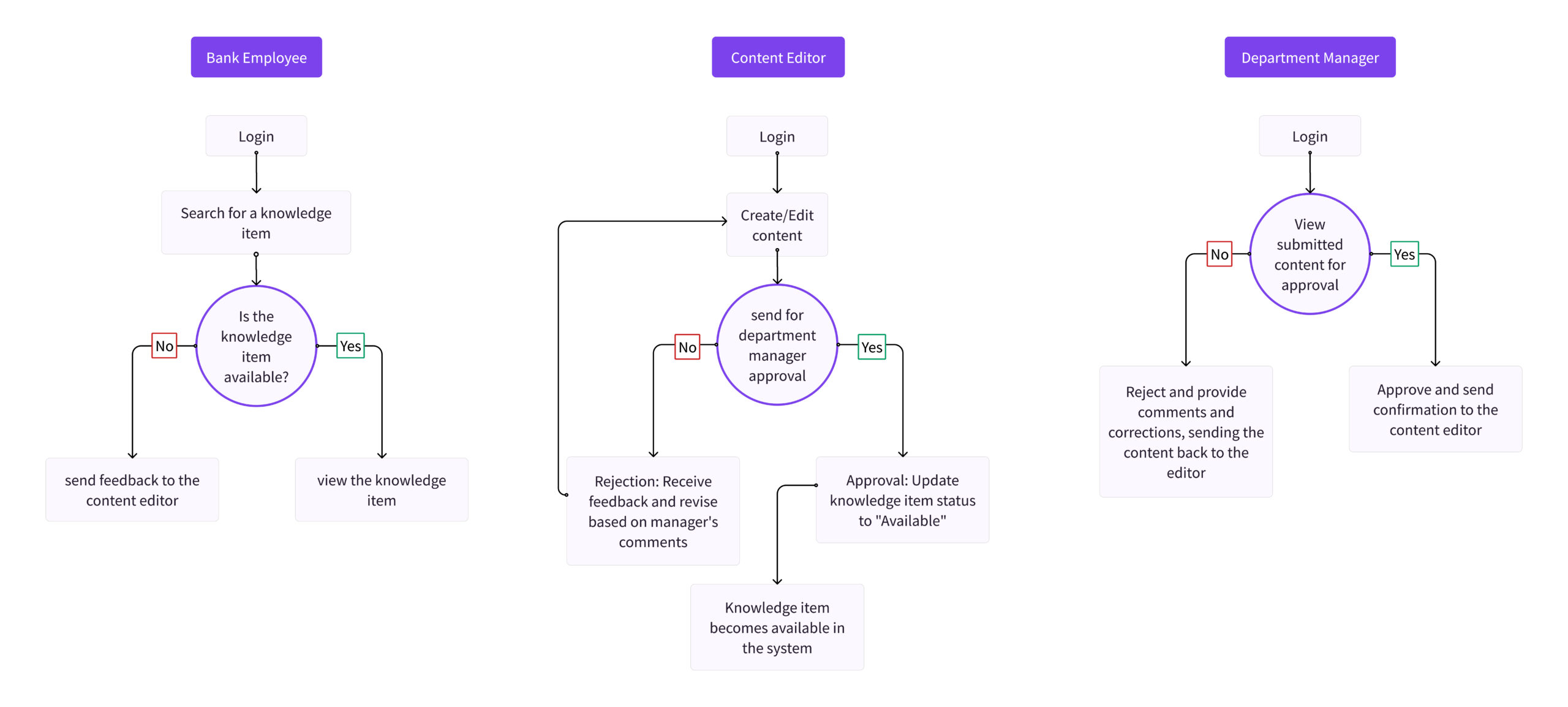
User Roles and System Flow
Final design
Login Screen
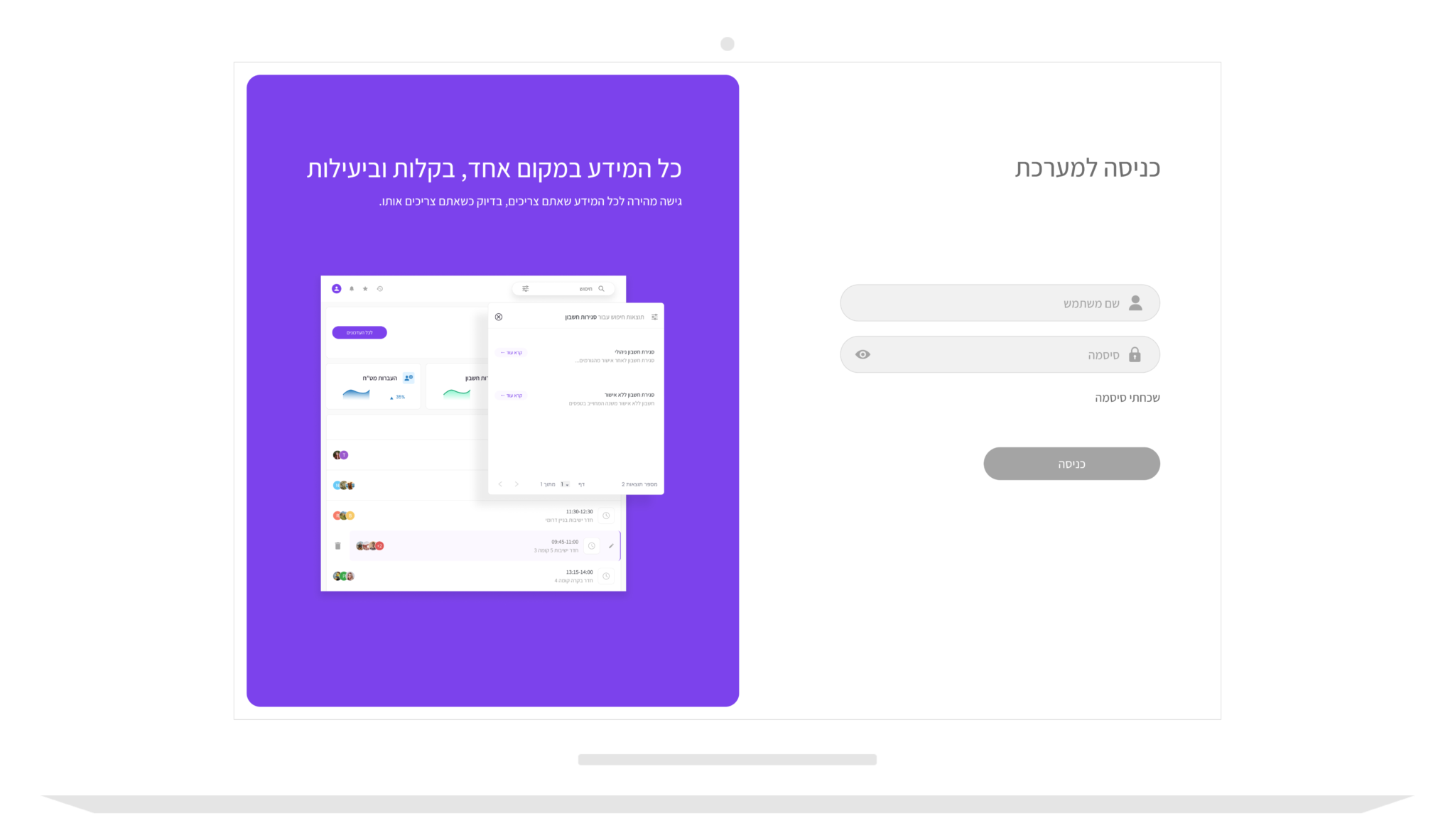
The first screen in the Inflow system is the login screen, designed to ensure high-level data security and provide precise, focused access to relevant information for each user. The user enters their username and password to log into the system, and after logging in, the system identifies their permissions and displays only the options that are suitable for their needs.
The design is clean and simple, with an emphasis on intuitive navigation, enabling an efficient and focused user experience.
Final design
Knowledge Search Feature
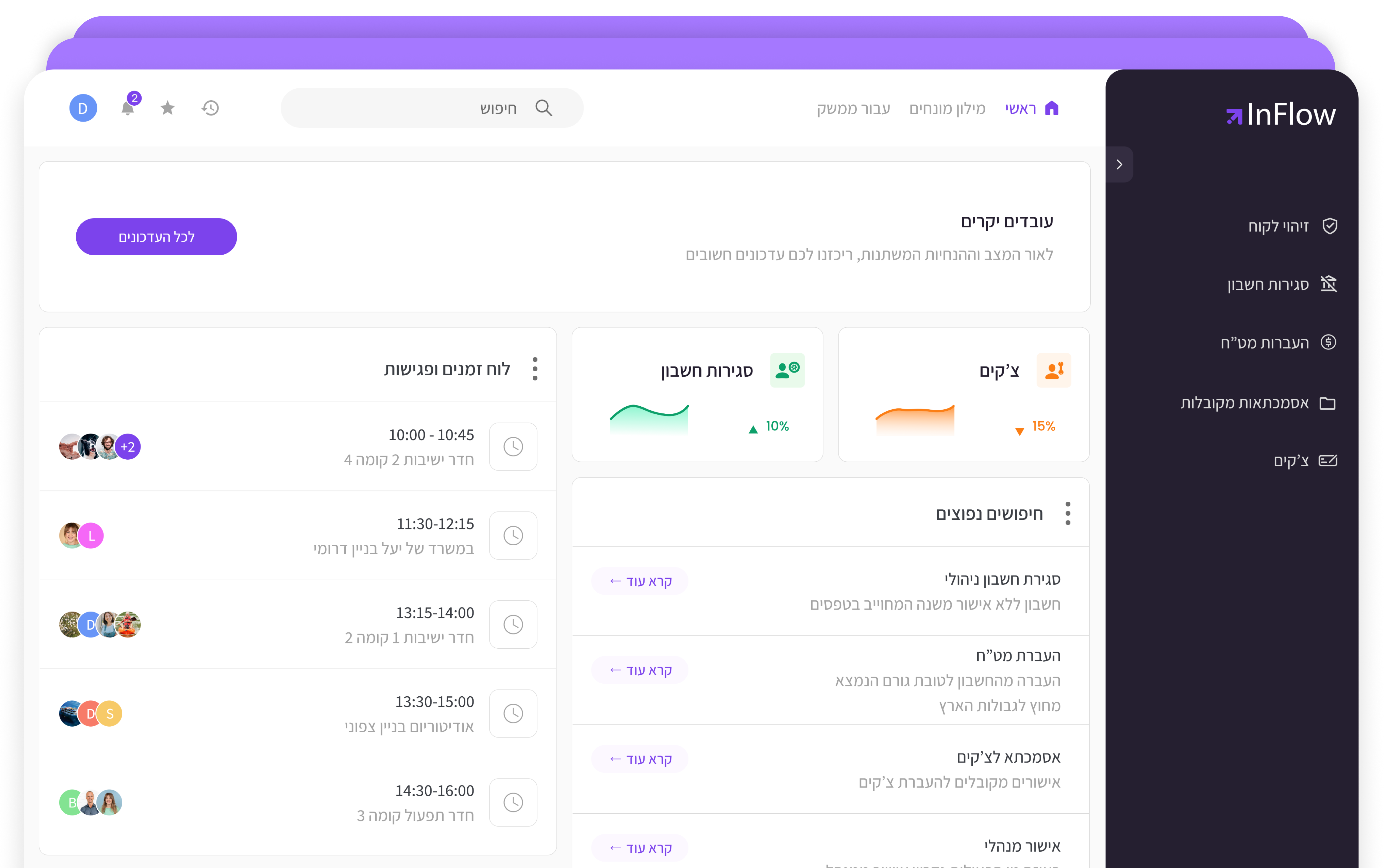
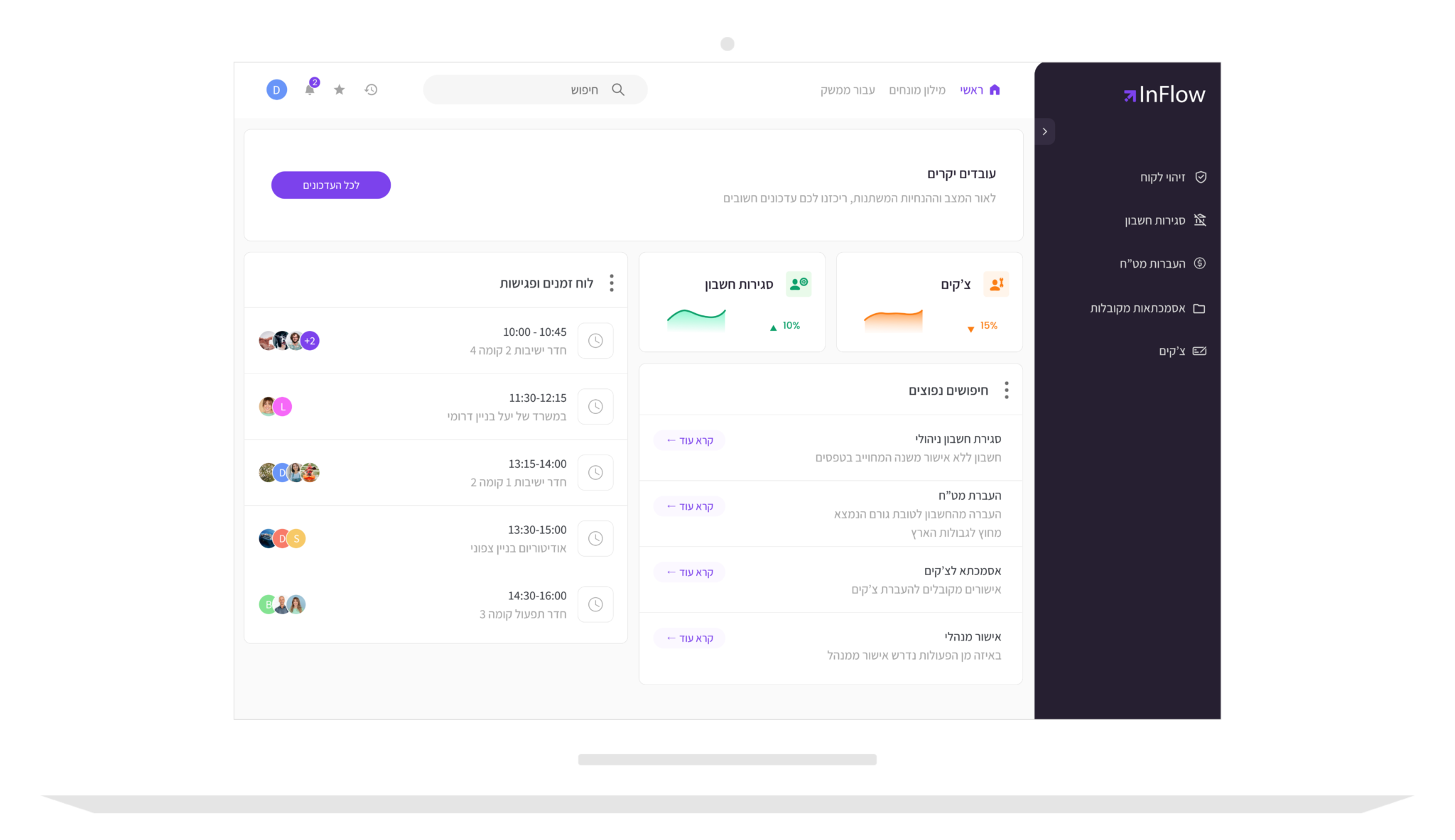
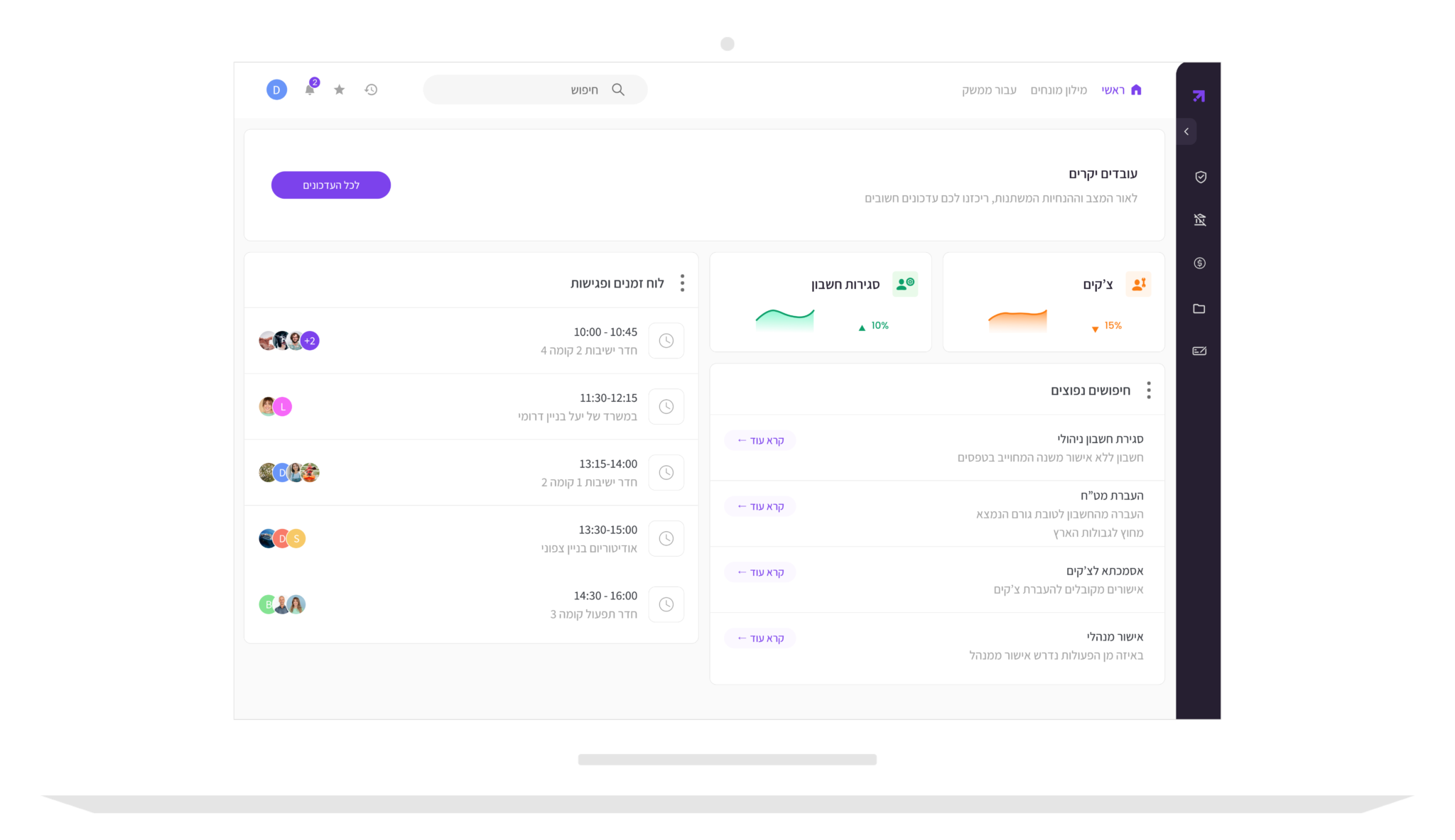
Users can easily search for relevant information through several intuitive options. On the right-hand side, a menu displays information tailored to each employee's permissions and role, providing direct access to all relevant knowledge items. Additionally, users can minimize the sidebar and perform a more focused search via the top search bar, allowing direct access to the required information. The system’s homepage also highlights commonly searched topics by employees in similar roles, further enhancing the search experience.
Final design
Knowledge Management
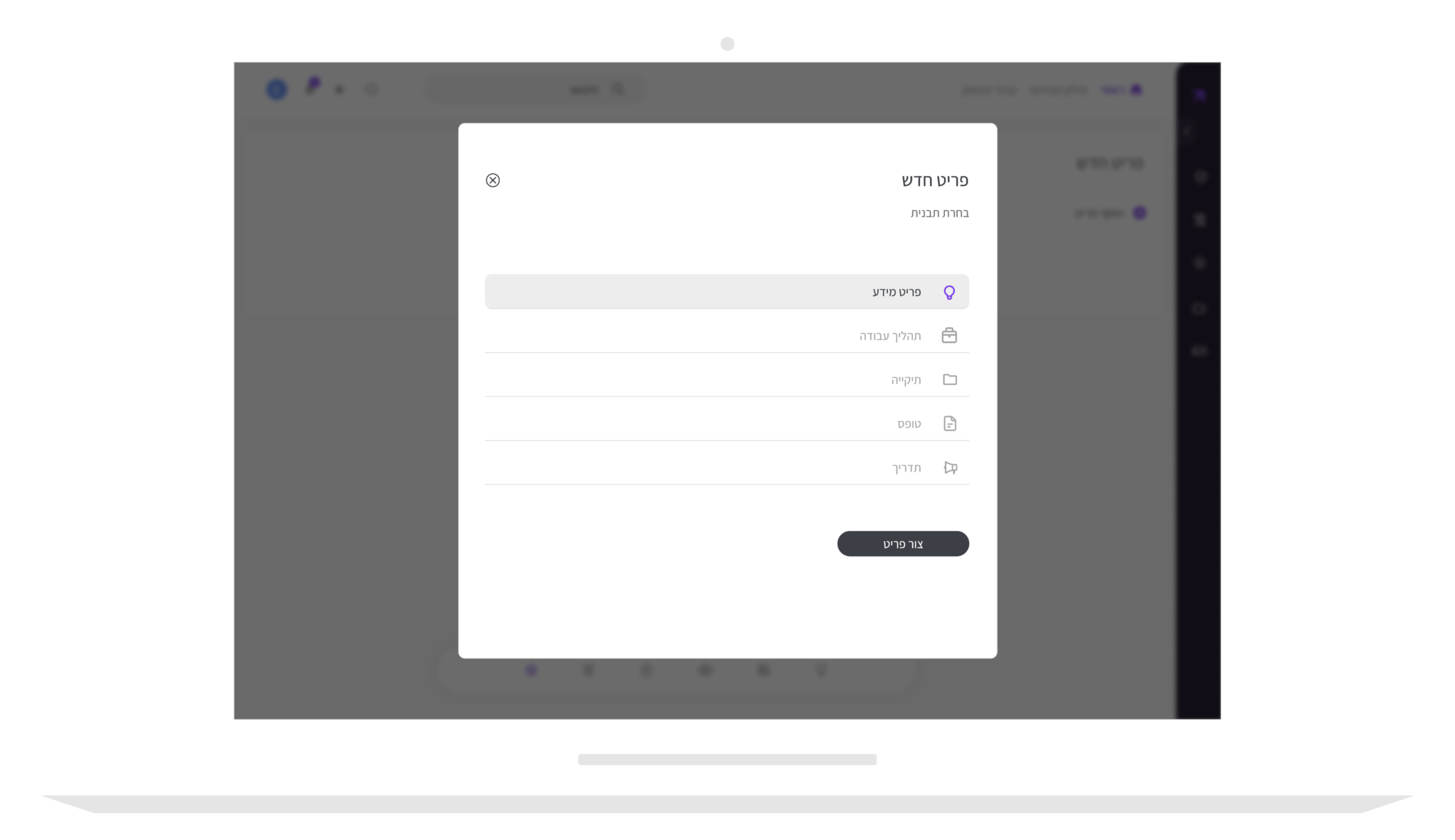
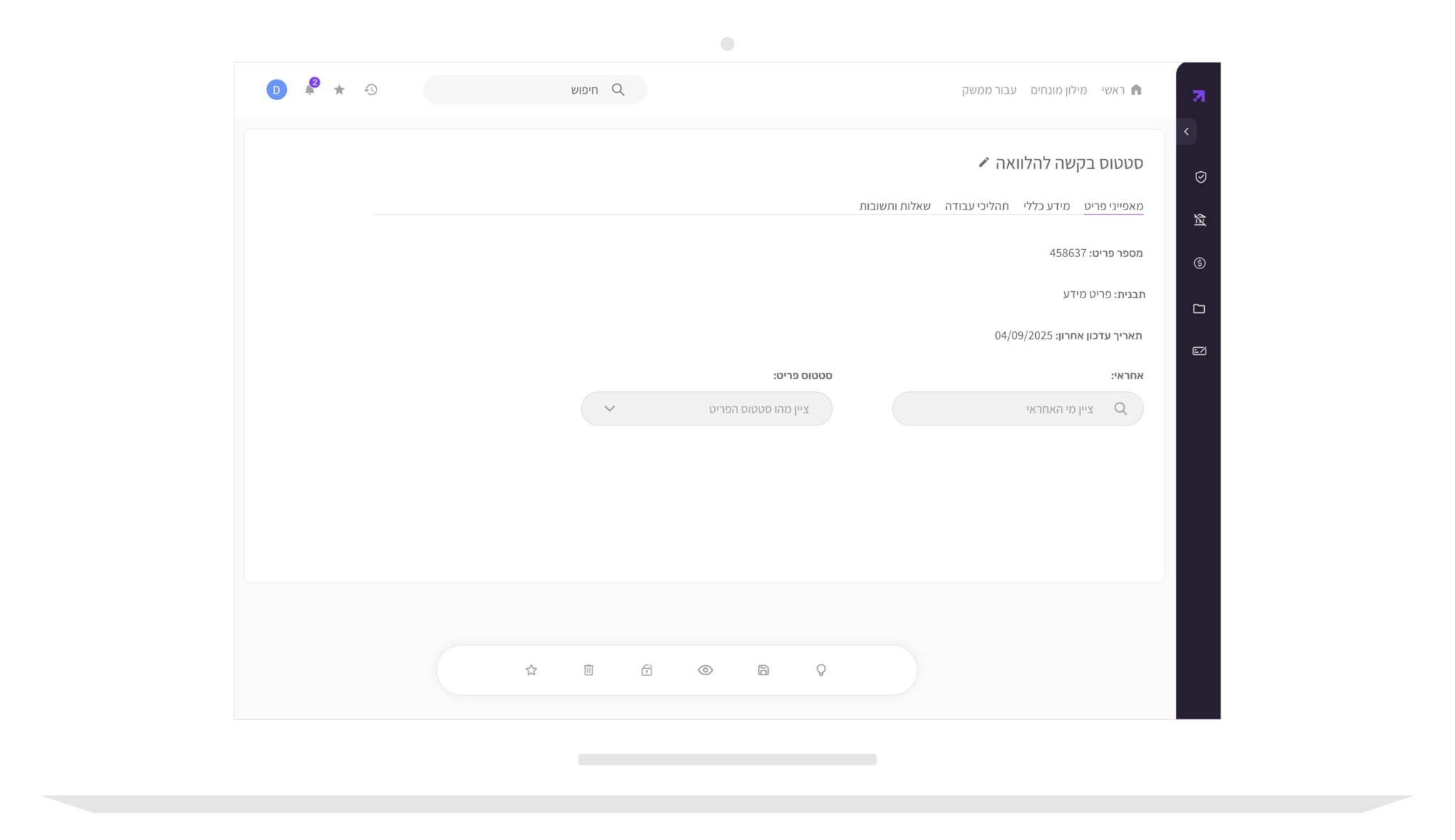
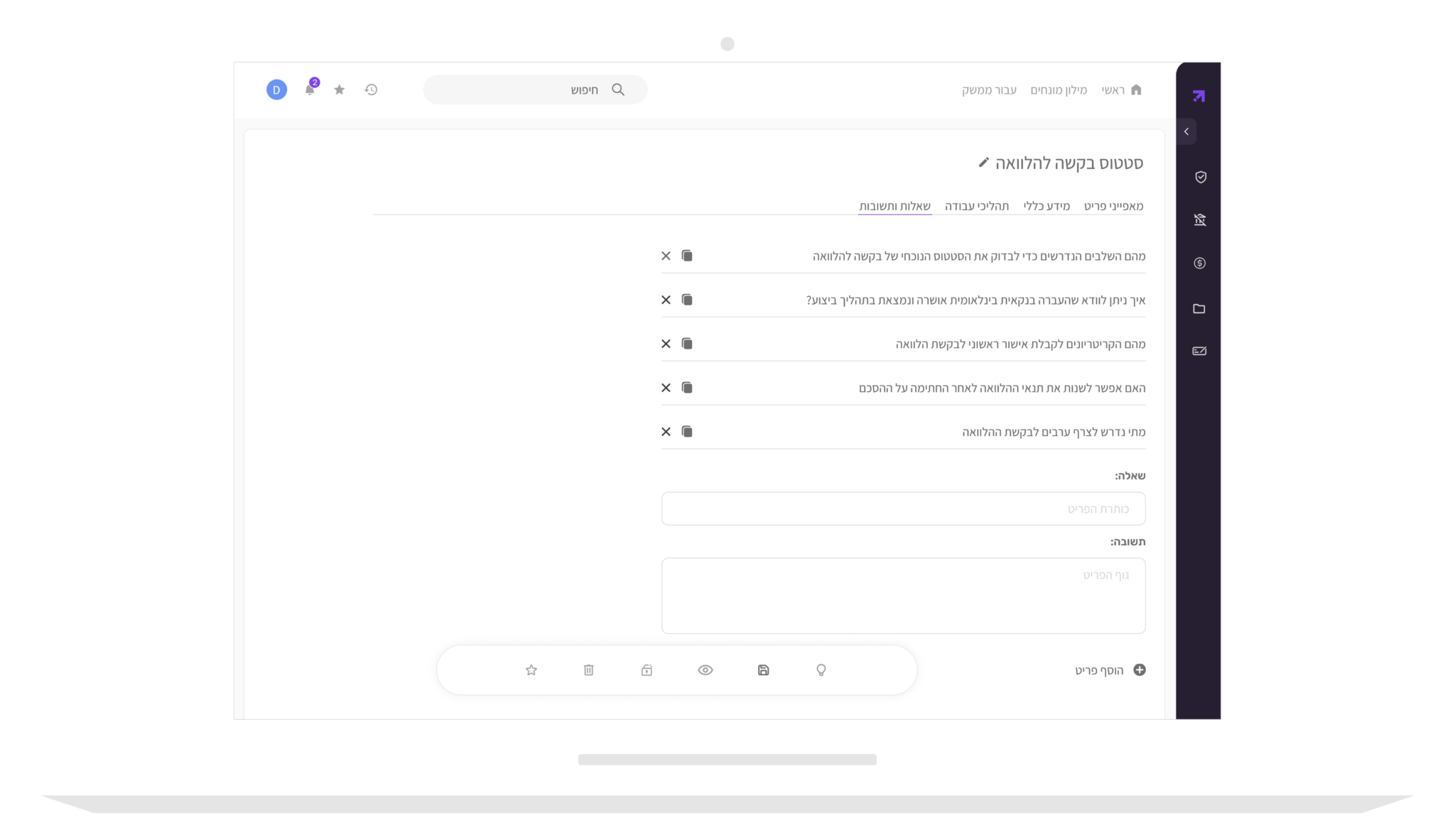
In order to upload new information to the system, the content manager creates a new knowledge item and saves it as a favorite until the editing is complete. During the editing process, they can make changes and adjust the information to meet specific needs and requirements. Once the editing is finished and the content manager is satisfied with the result, the item is sent to the manager for approval. Once the approval is received, the item is uploaded to the system and made available to all employees according to their permissions, ensuring that each user can easily access and utilize the content.